IntelliJ x Emacs
:emacs: :IntelliJ: May 14, 2026At work, I have most of the time two editors open. The one and almighty Emacs for most of my programming and writing and for working with Java and Android code bases I run an IntelliJ based editor.
IntelliJ is far better for working with Java and Kotlin. The introspection and debugging capabilities are a charm. Working with the JVM tooling from the command-line is quite cumbersome and can lead to different results.
While this works most of the time, sometimes I need advanced editing capabilities or magit to work with git or send a new pull request. The workflow to change between the two tools is a lot of searching through deeply nested folder structures. To smooth the workflow a bit IntelliJ offers external tools settings which allows to call Emacs directly from the currently open file.
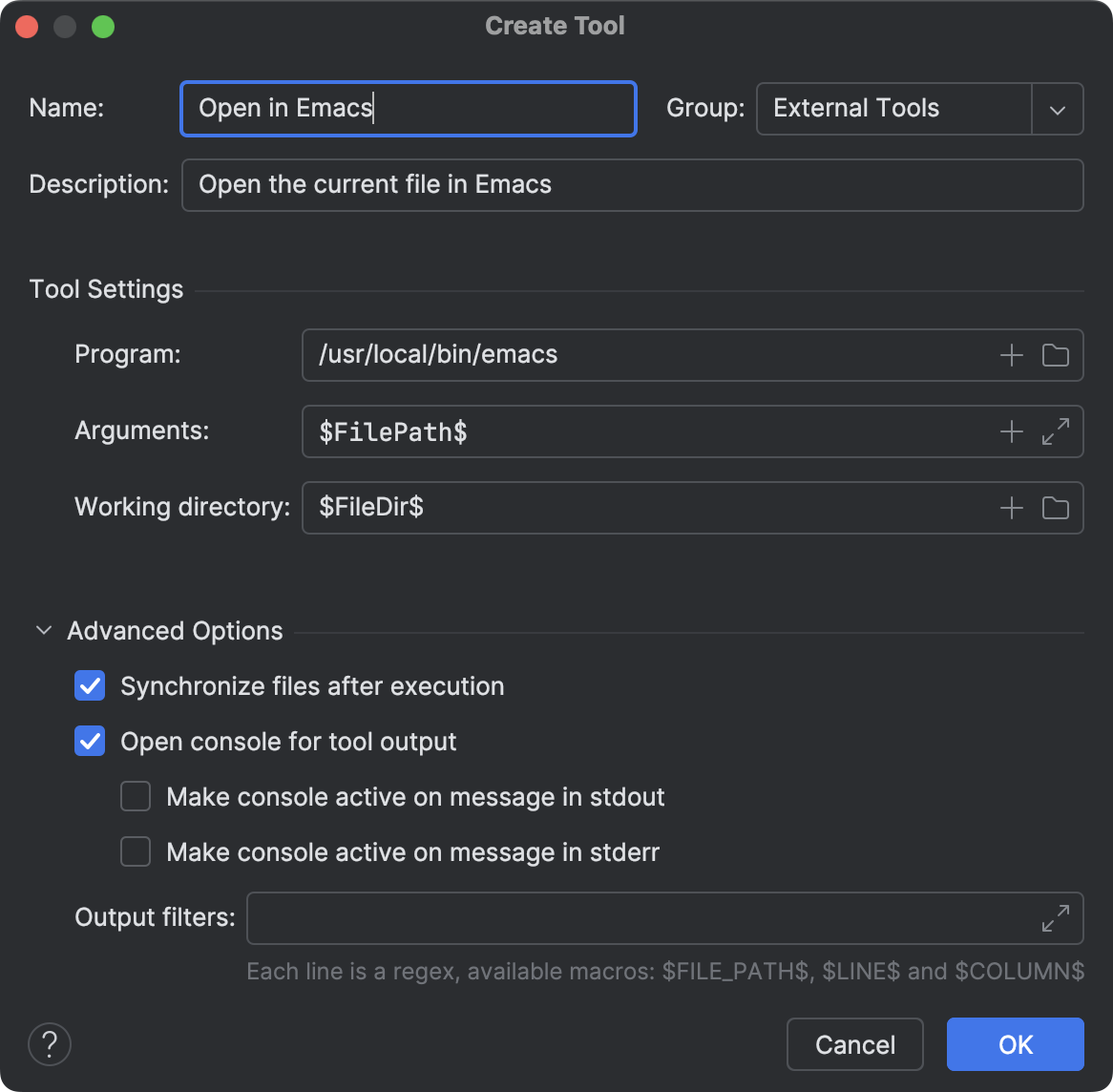
Note that the program line should only contain the program with its full path. Set it to a easy reachable keybinding and Emacs is just a shortcut away.